











Building a successful Twitch channel starts with understanding your audience. And to actually know about the growth of your channel and audience behavior, you need to know how to check Twitch followers.
Tracking your followers will allow you to see what type of content resonates with the audience. You’ll also be able to see when your audience is most active and which streams drive the most engagement. Whether you're a new streamer or looking for a new strategy, you need to check your follower metrics regularly.
Fortunately, Twitch makes this easy. You can view your followers by opening your profile on desktop or mobile and selecting “Followers” to see a full list and total count.
For deeper insights, the Creator Dashboard’s analytics tools break down follower growth trends, spikes, and engagement patterns, helping you optimize your streaming approach.
See Your Twitch Followers on Desktop
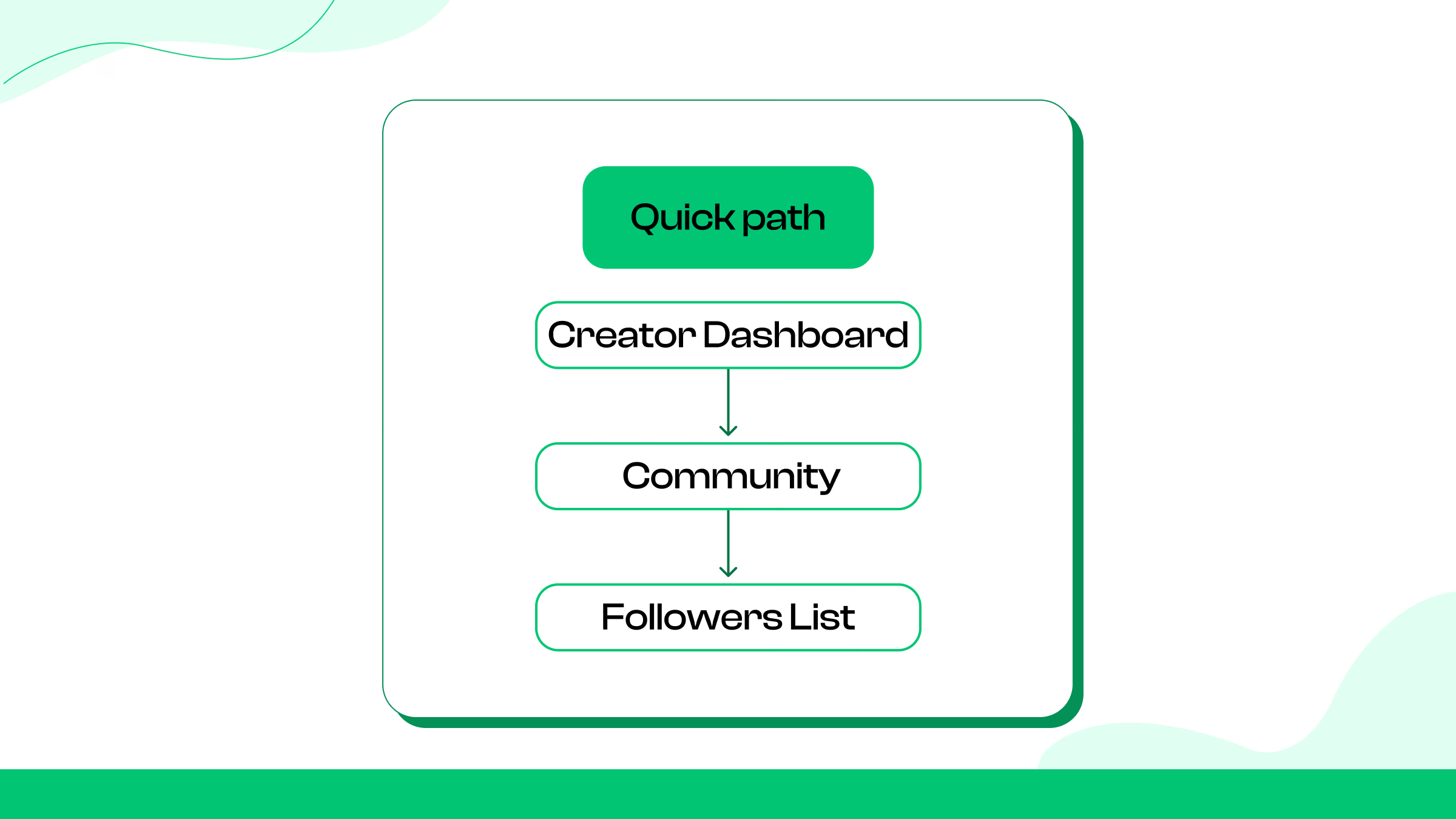
If you want to see exactly who’s following your channel on Twitch from a desktop browser, here’s how to do it:
Quick path: Creator Dashboard → Community → Followers List
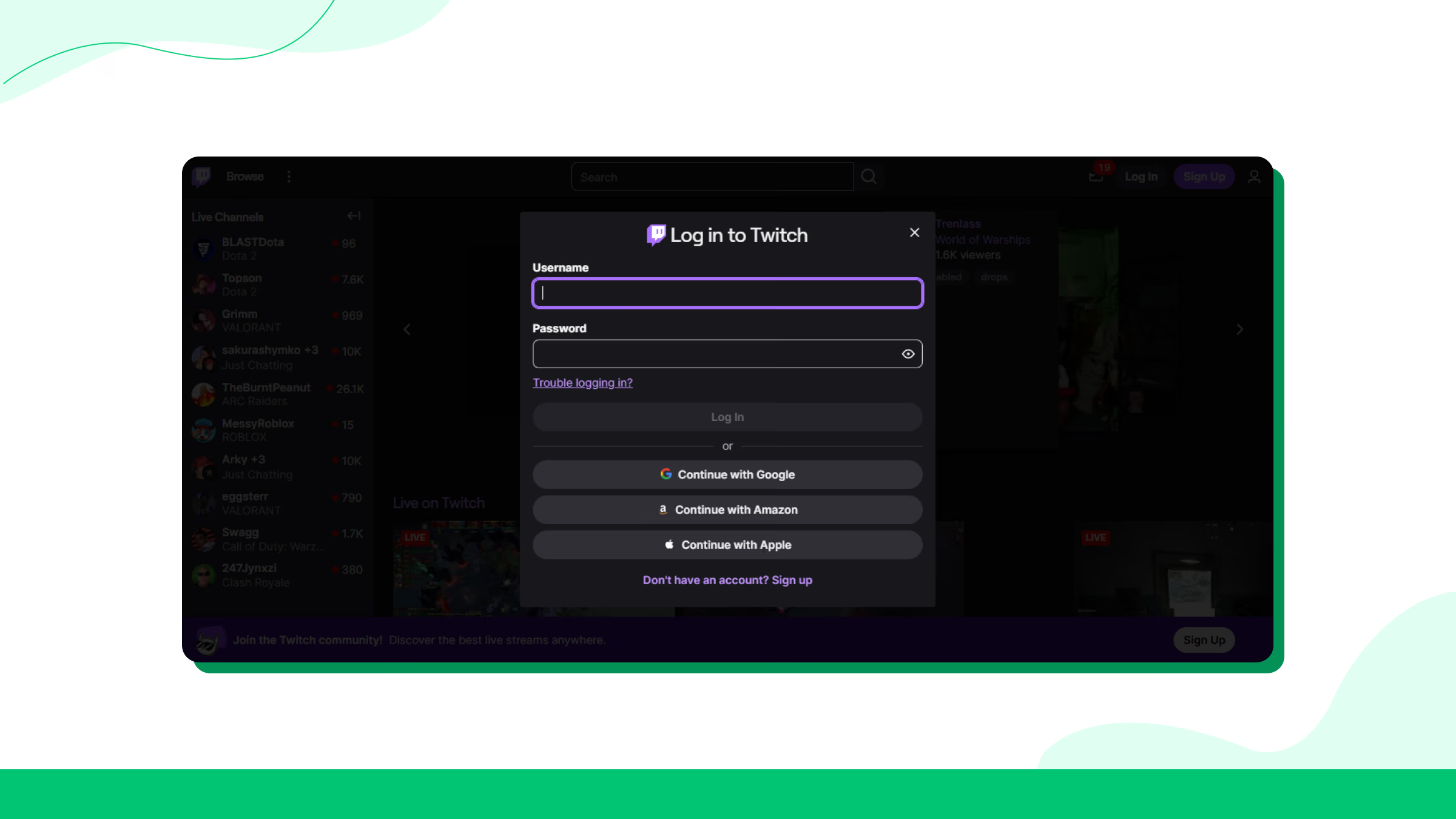
1. Open your web browser and log in to twitch.tv.
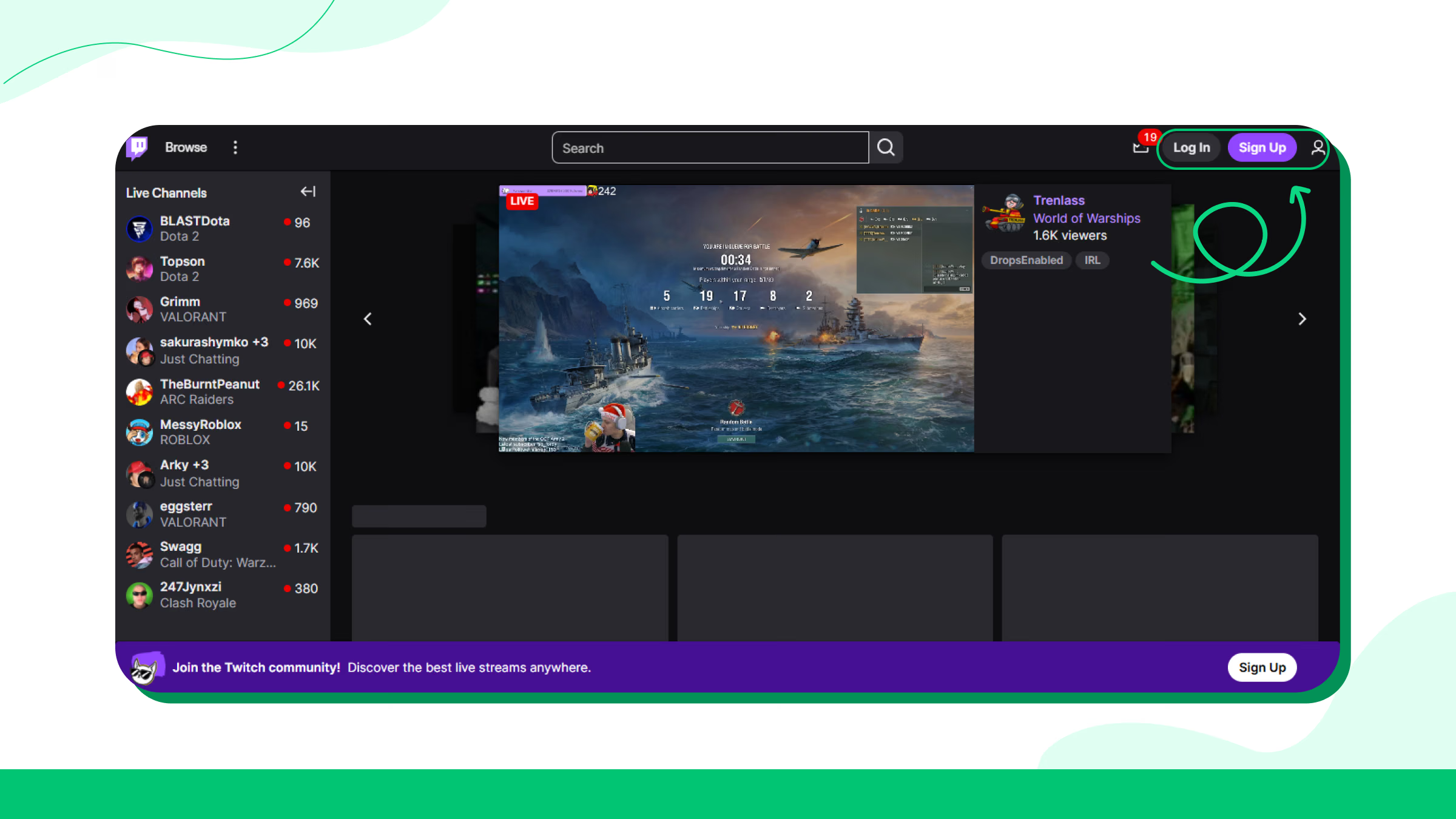
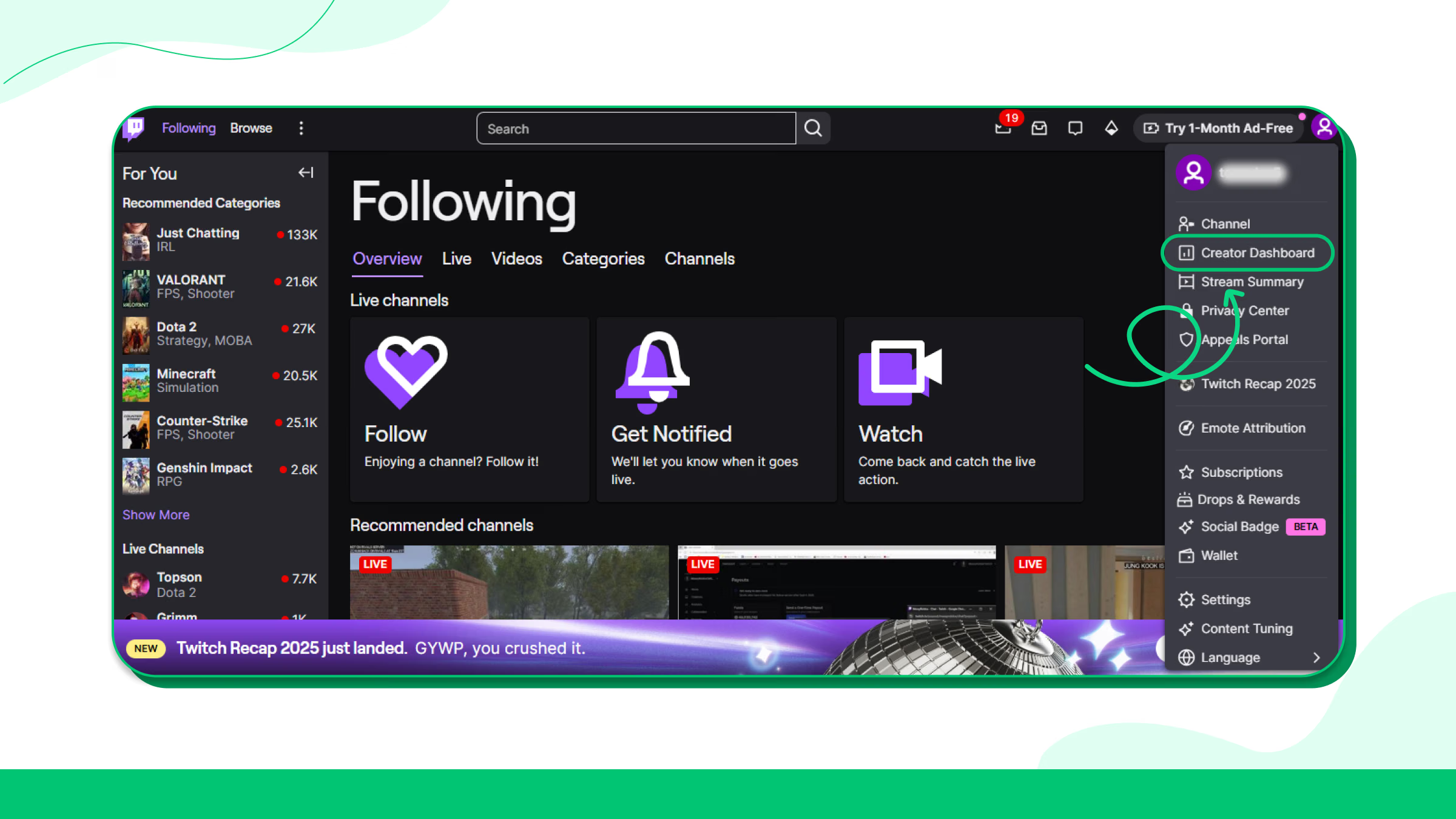
2. Click your profile avatar in the top-right corner of the screen
.webp)
3. Select “Creator Dashboard” from the dropdown menu
4. In the left sidebar of the dashboard, expand the “Community” section
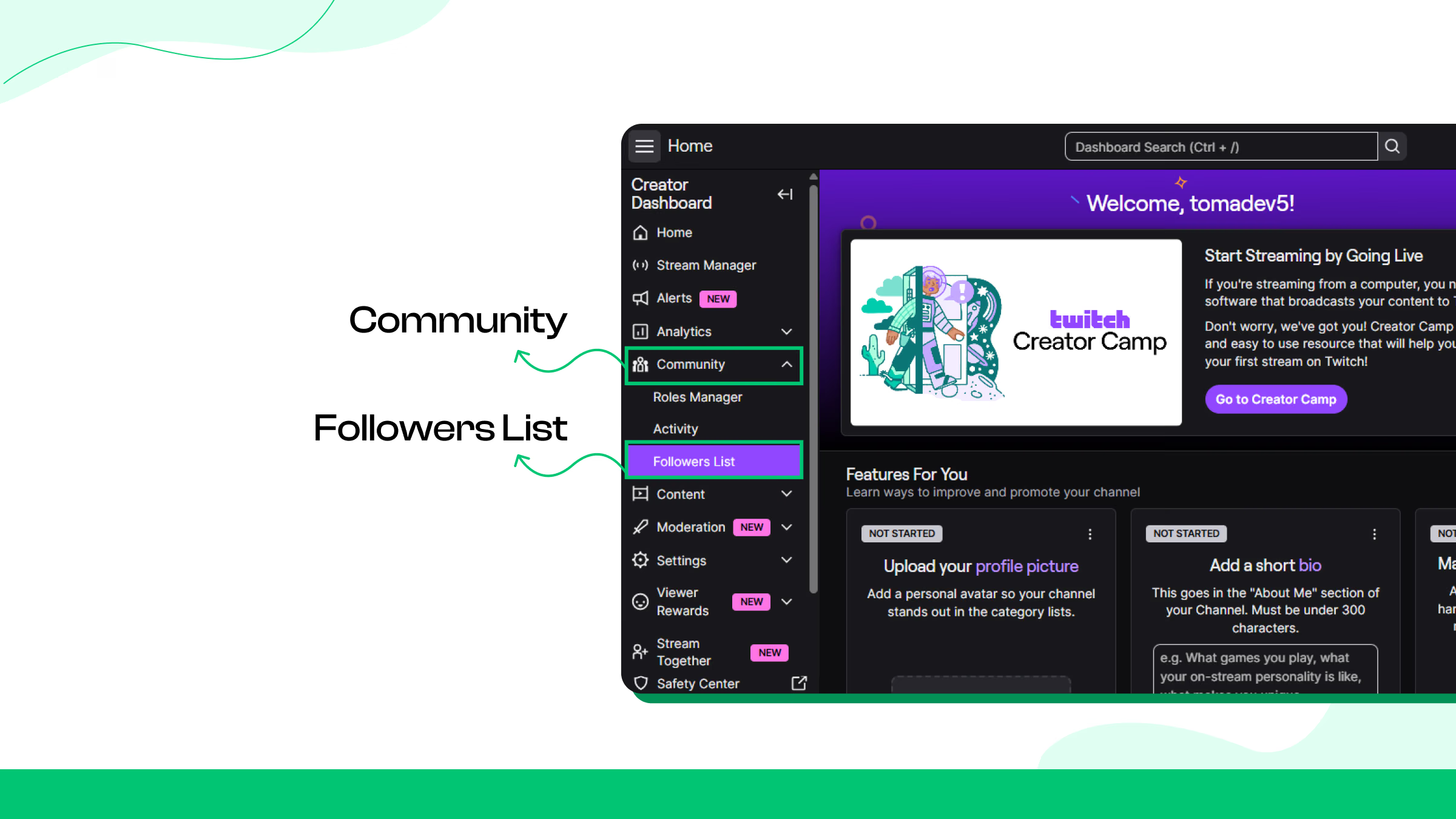
5. Click “Followers List”. That opens the full list of users who follow your channel
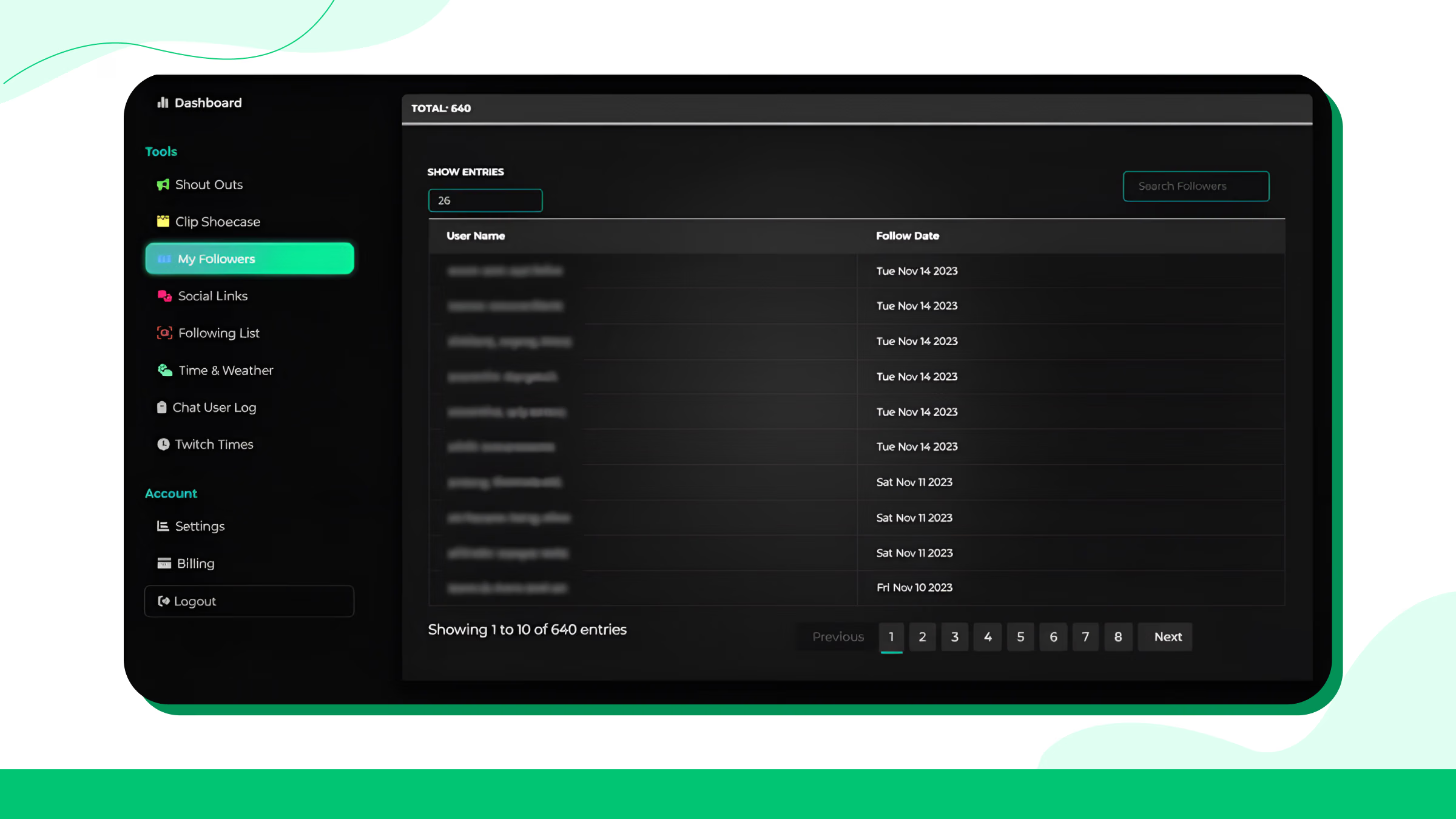
This is the fastest, official way to check your followers using the current Twitch interface.
Sort & Filter - Find New Followers, Sort by Date, Available Actions
How to View Followers on Mobile?
It’s easy to check your Twitch followers list on mobile. However, the mobile app has a few limitations.
How to Check Followers in the Twitch App?
1. Open the Twitch app
2. Tap your profile icon at the bottom right corner of the screen
.webp)
3. Now, tap on your profile picture and go to My Channel.
4. Now, click on Analytics. Here you will find the new follower numbers, follower growth trends, and stream summary.
Desktop Site Workaround
On the desktop site, you won’t get the detailed follower information. The right way to know the follower numbers:
1. Open your web browser and visit the web version of the platform.
2. By default, you will be taken to the mobile version of Twitch.
3. Log in to your Twitch account.
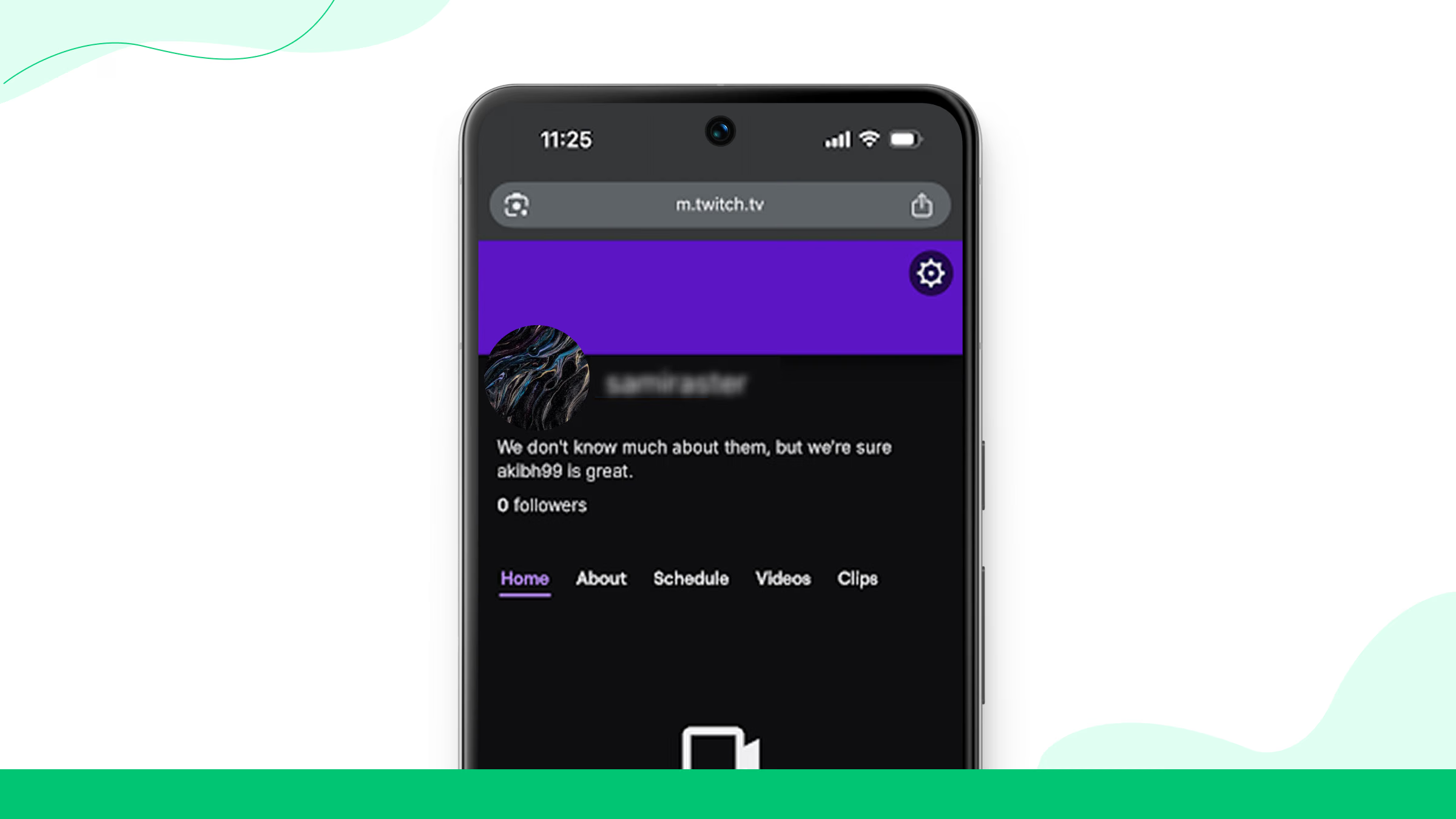
4. Click on the profile at the bottom right.
5. Below the profile photo and bio, there will be the total follower number.
Analytics That Actually Matter
Twitch’s follower list only shows who followed you. Streamers won’t be able to figure out why the followers followed them or how their channel is actually growing.
To understand all that, you need to read the analytics inside the Creator Dashboard, particularly “Insights → Channel Analytics.”
This is the space where Twitch tracks follower growth, session spikes, viewer trends, the Twitch followers leaderboard, and overall performance.
Let’s have a look at the analytics that can help you with your growth.
Channel Analytics - Where Follower Growth Lives
Here’s how you can access channel analytics:
Creator Dashboard → Insights → Channel Analytics
What matters inside Channel Analytics:
1. Follower Growth Graph
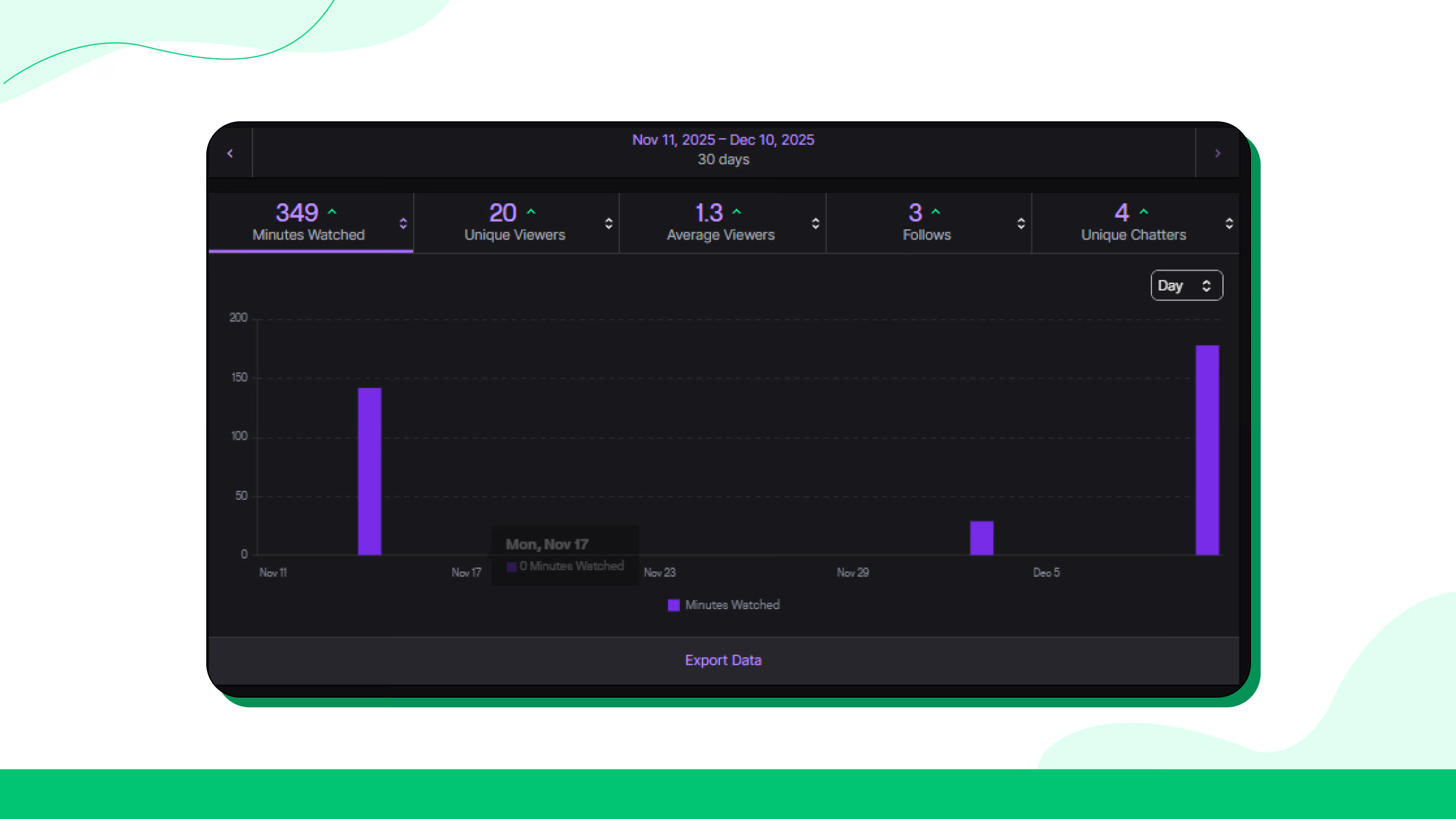
2. Viewers Graph (Concurrent Viewers)
_gm_optimized.avif)
This will show you how many people watched you during each stream.
3. Average View Duration
It will help you find out how long people stay before leaving. If people watch longer, Twitch recommends your stream more often.
4. Returning Viewers Metric
This will allow you to know how many people come back after watching you previously.
5. Unique Viewers
Know about how many individual users saw your stream. Understand the user’s interest here.
Twitch Followers: Goals and Milestones
Twitch tracks your progress toward major milestones, and also lets you set Creator Goals (e.g., “Goal: 150 followers”).
Affiliate Requirements (Official):
You can monitor these inside:
Creator Dashboard → Insights → Achievements
Followers vs. Viewers vs. Subscribers (And Why People Confuse Them)
Twitch uses three different metrics to define your audience. However, many creators often mix them up. Each of these metrics plays a different role in growth. You will also find them in a different part of your analytics.
Followers - The Intent Signal
Followers are Twitch users who want updates and want to see you again. They are your first step toward growing viewers and eventually, subscribers.
Not all followers will watch your streams. However, a spike in followers can help you find out what content works.
Also, your followers need to verify their accounts as followers.
Viewers - Your Real-Time Audience
Viewers measure the number of people who are actually watching your streams. This is session-based and can change minute to minute.
Subscribers - Your Paid Support Base
Subscribers are those who support you financially. They receive perks, and you earn revenue.
Where to check:
Creator Dashboard → Analytics → Revenue
Using Third-Party Twitch Followers Tools
For even more detailed insights, third-party platforms can help track follower growth and offer advanced metrics that go beyond what Twitch’s built-in analytics provide.
Here are some third-party tools that can help you:
Some features require paid plans. But these are still among the best tools for strategic growth planning.
Why Does Tracking Twitch Followers Matter?
To have a successful journey as a Twitch creator, you must track your followers.
Gauging Audience Growth
Your follower count is a great way to track how your channel is growing and how far your content is reaching. When someone follows your channel, they’re showing interest in what you’re creating and want to stay updated on when you go live.
By keeping an eye on when you gain or lose followers, you can start to see what catches with your audience.
Identifying Growth Opportunities
Analyze your follower data to spot trends, like increases after specific streams or collaborations.
Use these insights to adjust your streaming schedule, content, and interaction style, ultimately engaging your audience more effectively.
4 Tips for Increasing Your Twitch Followers
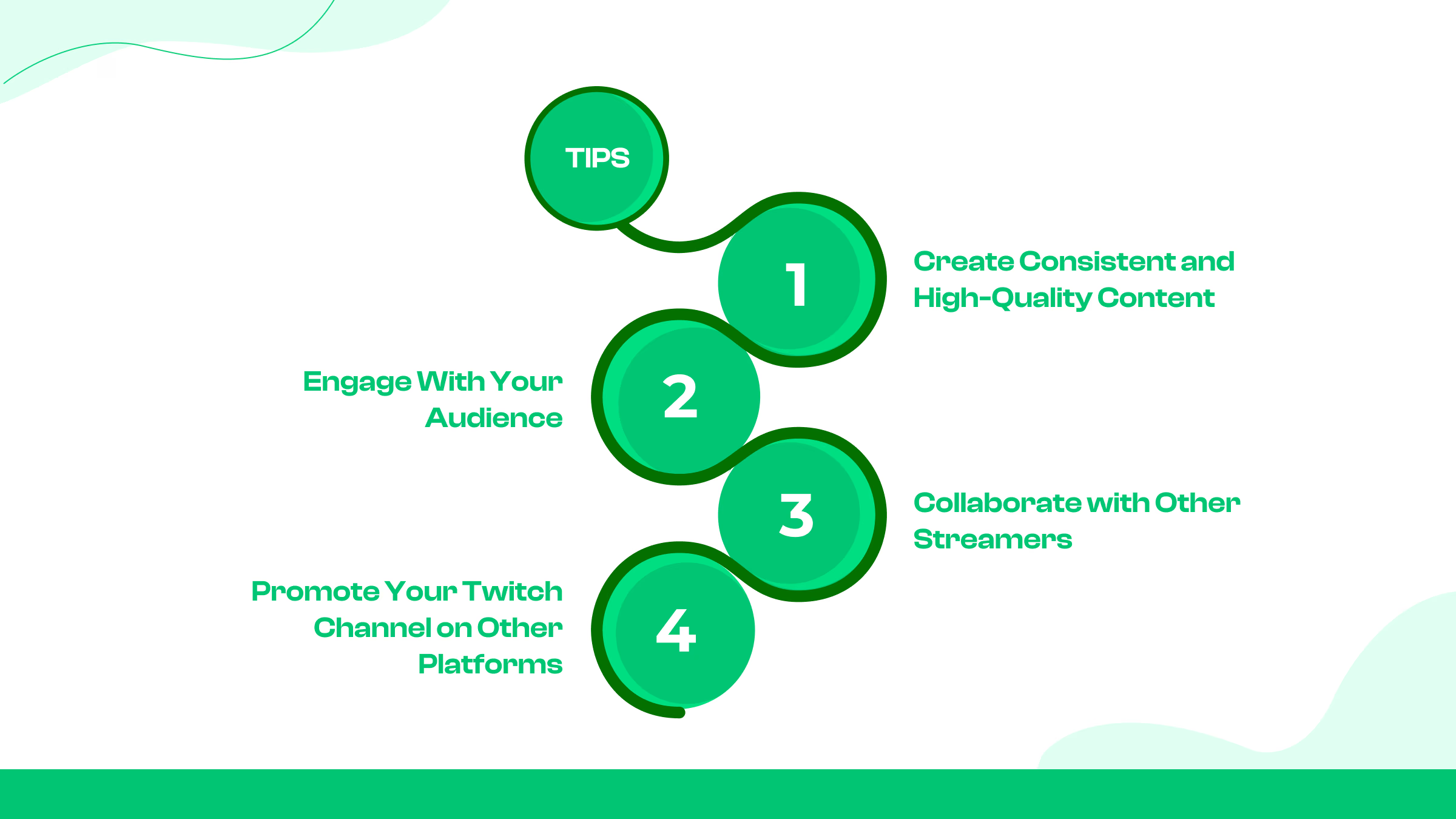
Here are some tips you can follow-
1. Create Consistent and High-Quality Content
Keeping a consistent streaming schedule is key to growing your Twitch channel. When your followers know when to expect your streams, they’re more likely to come back regularly, helping you build a steady audience.
2. Engage With Your Audience
Engaging with your audience is very important to building a strong community on Twitch. Interacting with viewers in real-time, whether it’s responding to comments, thanking new followers, helps create a more personal connection.
When people feel involved in your stream, they’re more likely to follow and stay loyal to your channel. It makes your audience feel valued and keeps them coming back for more.
3. Collaborate with Other Streamers
Partnering with other streamers is a great way to expand your reach and introduce your content to new audiences.
Whether through guest appearances, shout-outs, or joint streaming sessions, working with other creators can help you connect with new viewers.
These collaborations often lead to cross-promotion. Your partner’s community gets to know you, increasing your chances of gaining new followers.
4. Promote Your Twitch Channel on Other Platforms
Promoting your Twitch channel on other platforms is a smart way to grow your audience and bring in new followers.
Use social media platforms like Twitter, Instagram, and YouTube to share your content and direct traffic to your Twitch streams.
Conclusion
There are specifications on how to check Twitch followers. By using both Twitch’s built-in analytics and third-party tools, you can gain valuable insights into what your audience enjoys and how they engage with your content.
Regularly reviewing your follower growth allows you to see what’s working and what might need a little tweaking in your strategy. This approach will not only help you build a more engaged community but also ensure your channel continues to thrive as you navigate your streaming journey.
Frequently Asked Questions
Can I hide my followers on Twitch?
Why is my follower count stuck or not updating?
Are follower counts real-time?
Does Twitch notify me when someone follows?
Can I see who unfollowed me on Twitch?

Tasnim is a content and digital marketer born in Dhaka, Bangladesh. For over thirteen years, Tasnim has worked as a freelancer for several social media marketing companies. He has acquired skill sets in copywriting, content marketing, SEO & social media marketing. He’s one of the founding members of SEOSkit, a very exciting search engine marketing startup. In his free time he likes to travel, read, and make failed attempts at music.
0 Comments
Great tips! I never realized how much engagement impacts growth more than just posting frequently. I've been focusing only on content, but now I see how interacting with my audience can make a difference. Time to step up my strategy!
Super helpful article! I always thought Facebook Groups were just for discussions and never really considered them as a tool for growing followers. The idea of actively engaging and sharing valuable content in relevant groups makes so much sense. I'll definitely start participating more and see how it impacts my page. Thanks for the great advice!